

Blog Post
How to Sell on TeePublic: A Complete Guide for POD Sellers
August 29, 2026
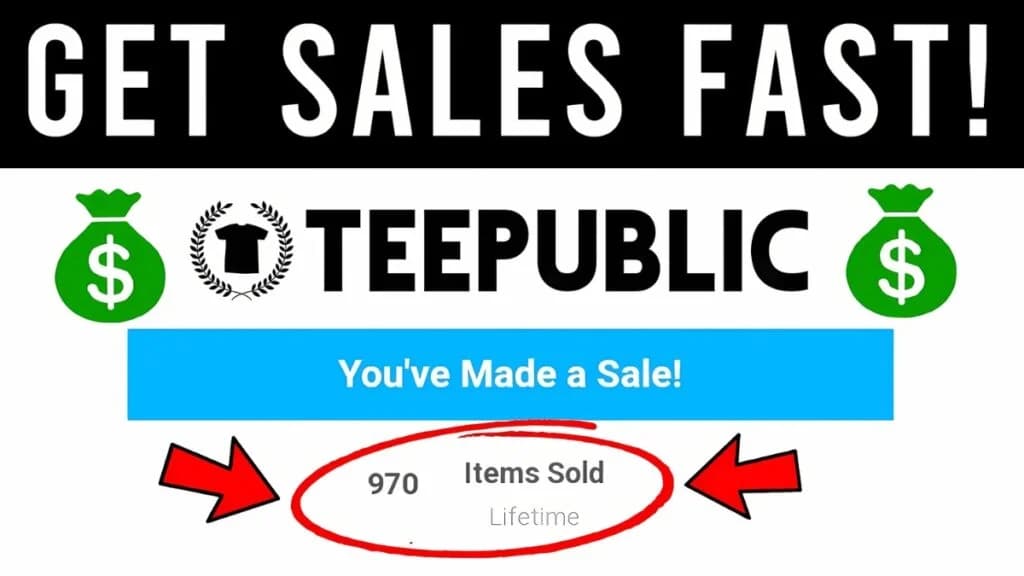
Print-on-demand has opened the door for artists and designers to earn money without touching inventory, shipping labels, or customer service headaches. Among the many POD marketplaces out there, TeePublic has built a loyal following of buyers who love bold, niche, and pop-culture-inspired designs, which makes it a genuinely good place to start selling if you're serious about turning your art into income.
If you've been searching for how to sell on TeePublic, this guide walks you through everything from setting up your account to optimizing your listings for search, so your designs actually get discovered instead of sitting unseen in a sea of uploads.
What Is TeePublic and Why Should You Sell There?
TeePublic is a print-on-demand marketplace where independent artists upload designs that get printed on t-shirts, hoodies, mugs, stickers, phone cases, and dozens of other products. When a customer buys, TeePublic handles printing, packing, shipping, and customer support. You just upload the artwork and collect a commission on every sale.
What makes TeePublic stand out from other POD platforms is its built-in audience. Unlike some marketplaces where you have to drive 100% of your own traffic, TeePublic already has millions of monthly visitors browsing for gifts, fandom merch, and funny or niche designs. That doesn't mean you can upload a design and forget about it, but it does mean a well-optimized listing has a real shot at organic sales without any outside marketing.
A few reasons sellers choose TeePublic:
No upfront cost to open a shop or list designs
Frequent sales and promotions that drive traffic to your storefront
A wide product catalog, so one design can be sold across dozens of items
Global shipping and fulfillment handled entirely by TeePublic
Passive royalties once a design is uploaded and optimized
If you want to see what a finished, optimized shop looks like before you start, you can browse an example TeePublic storefront for inspiration on pricing, tagging, and design variety.
How TeePublic Pricing and Royalties Work
Before uploading anything, it helps to understand how you actually get paid. TeePublic sets a base price for each product type, and you choose how much markup, your commission, you want to add on top.
Here's the general idea:
TeePublic sets the base cost for printing and fulfillment.
You set your commission, usually within a recommended range for each product.
The base price plus your commission equals what the customer pays.
You receive your commission on every sale, paid out on a regular schedule once you hit the payout threshold.
Higher commissions mean more profit per sale, but they can also push your price above what shoppers are willing to pay, especially during sales events. Many experienced sellers keep their commission at or near the recommended default when they're just starting out, then adjust once they understand how their designs perform.
It's also worth noting that TeePublic runs frequent site-wide sales where prices are discounted. Your commission stays protected in most of these promotions, meaning you still earn your set amount even when the customer pays less, which is one of the more seller-friendly aspects of the platform.
Setting Up Your TeePublic Seller Account
Getting started takes just a few minutes. Here's the basic flow:
Create your account. Sign up with an email address or a linked social account.
Set up your artist profile. Add a profile photo, a short bio, and links to your social channels if you have them. This builds trust with buyers browsing your shop.
Add your payment details. You'll need this to actually receive royalties once you start making sales.
Familiarize yourself with the dashboard. This is where you'll upload designs, track sales, view analytics, and manage your listings going forward.
A complete, professional-looking profile isn't just cosmetic. Shoppers who click into your artist page are often deciding whether to browse more of your designs, so a filled-out bio and a cohesive shop theme can quietly increase your overall sales.
Preparing Designs That Actually Sell
This is the step most new sellers rush through, and it's usually the reason their shop underperforms. TeePublic is a visual, competitive marketplace, so your design quality and file preparation matter enormously.
Technical Requirements
Use transparent PNG files for most apparel designs.
Aim for high resolution, generally 4500x5400 pixels or similar, depending on the current platform guidelines, to ensure your design prints sharp on large product formats.
Keep file sizes reasonable so uploads don't fail or take excessive time.
Avoid heavy compression artifacts, blurry edges, or low-contrast details that disappear when printed.
Design Strategy
Rather than uploading random ideas, think in terms of niches. Some of the best-performing categories on print-on-demand platforms include:
Pop-culture parody and fandom-adjacent humor
Hobby and profession-specific designs (nursing, teaching, gardening, gaming, etc.)
Holiday and seasonal themes
Pet lover and animal-themed designs
Motivational or sarcastic typography
Niching down helps in two ways. First, it makes your designs easier to find through search because you're using specific, intentional language. Second, it builds a recognizable shop identity, which encourages repeat browsing and word-of-mouth sales.
Tools That Make Designing for TeePublic Easier
You don't need an expensive software suite to create sellable designs, but having the right tools speeds up your workflow considerably.
Vector design software (like Adobe Illustrator or free alternatives such as Inkscape) is ideal for typography-based and flat-graphic designs because vector art scales cleanly to any print size without losing quality.
Raster editors (like Photoshop or GIMP) work well for more painterly, textured, or photo-based designs.
Mockup generators let you preview how a design will look on an actual t-shirt, mug, or tote bag before you upload it, which helps you catch spacing or color issues early.
Keyword research tools, even simple ones like autocomplete suggestions on TeePublic's own search bar or general search engines, can reveal what shoppers are actually typing when they look for designs like yours.
Spending a little time building a repeatable design workflow, from concept sketch to final export, pays off once you're producing designs regularly instead of one at a time.
Researching Niches Before You Design
Skilled POD sellers rarely design blind. Before committing hours to a new piece of artwork, it helps to validate that there's actual demand for the idea.
A simple research process looks like this:
Search the keyword or theme directly on TeePublic and see how many existing designs come up, plus how polished the top results look.
Check for genuine demand signals, such as related products already selling well in that niche across other marketplaces.
Look for underserved angles. If a niche is saturated with generic designs, a more specific or better-executed take can still stand out.
Consider seasonality. Some niches spike hard around specific dates (holidays, awareness months, back-to-school season) and are worth planning for in advance rather than designing at the last minute.
The goal isn't to chase every trend, but to make sure the time you spend creating goes toward ideas with a realistic chance of being found and purchased.
Uploading Your First Design
Once your artwork is ready, the upload process on TeePublic is straightforward:
Go to your seller dashboard and select the upload option.
Upload your artwork file.
Preview how the design looks across different product types (shirts, mugs, stickers, etc.) and adjust placement or sizing if needed.
Select which products you want the design available on. You don't have to enable every product, since some designs work better as apparel-only, while others translate well to stickers or home goods.
Write your title, description, and tags (more on this below).
Set your commission for each product category, or use the recommended default.
Publish the listing.
Once published, your design becomes searchable both on TeePublic's internal search engine and, over time, in external search engines like Google, provided your listing is well optimized.
How to Optimize Listings for Search (The Part Most Sellers Skip)
This is where the real difference between a shop that earns a few dollars a month and one that generates consistent income comes down to search optimization. TeePublic's internal search functions similarly to any other e-commerce search engine, matching buyer queries to titles, tags, and descriptions.
Writing SEO-Friendly Titles
Your title should be descriptive, not clever for the sake of being clever. Include:
The main subject of the design
The style or tone (funny, cute, vintage, minimalist, etc.)
Relevant keywords a buyer might actually type into search
For example, instead of a vague title like "Coffee Design," something like "Funny Coffee Lover Vintage T-Shirt Design" gives the algorithm and the buyer far more useful context.
Choosing the Right Tags
TeePublic allows you to add multiple tags per design. Use all of them. Tags should cover:
Direct keyword matches (what someone would literally search)
Broader category terms (e.g., "gift for mom," "birthday gift")
Style descriptors (e.g., "retro," "minimalist," "bold graphic")
Occasion-based terms when relevant (e.g., "Mother's Day," "Christmas")
Avoid stuffing irrelevant tags just to appear in more searches, since this can actually hurt discoverability and looks spammy to both the algorithm and human shoppers.
Writing a Useful Description
Your description doesn't need to be long, but it should reinforce your keywords naturally and tell the buyer who the design is for. A quick sentence or two describing the vibe, the intended audience, or the occasion works well.
Building a Consistent Shop Instead of One-Off Designs
New sellers often upload a handful of designs, see modest results, and give up. The sellers who actually build sustainable income on TeePublic treat it like a long-term content project, not a one-time upload session.
A few habits that make a measurable difference over time:
Upload consistently. More designs mean more chances to rank in search and more products for your existing fans to buy.
Track what performs. Use your dashboard analytics to see which designs, niches, or styles are getting views and sales, then create more in that direction.
Refresh underperforming tags. If a design has views but no sales, the artwork might be fine but the tags may be missing the mark.
Follow trends without losing your style. Seasonal and trending topics can bring in extra traffic, but they work best when filtered through your own consistent visual voice.
Promote strategically. Sharing your shop link on social media, in relevant communities, or through your own website can drive external traffic that supplements TeePublic's internal search.
Common Mistakes New TeePublic Sellers Make
Knowing what not to do can save you months of frustration:
Uploading low-resolution or blurry files. This gets designs flagged or simply looks unprofessional once printed.
Ignoring tags and descriptions. Skipping this step is one of the fastest ways to stay invisible in search.
Copying trending designs too closely. This risks copyright issues and account strikes, so always create original artwork or properly licensed content.
Setting commission too high too soon. Overpricing early designs before you understand buyer behavior can quietly kill sales.
Uploading once and waiting. Passive income from POD still requires active, consistent effort, especially in the first several months.
Neglecting your shop branding. A messy, inconsistent shop feels less trustworthy than one with a clear visual identity.
Understanding Copyright and Originality Rules
Because TeePublic hosts millions of designs from independent artists, it takes intellectual property seriously, and so should you. Uploading artwork that copies a copyrighted character, logo, song lyric, or another artist's work, even with small changes, can get individual listings removed or your account flagged.
To stay on the safe side:
Create original artwork, or use assets you have a clear commercial license to use.
Be cautious with "inspired by" designs that reference copyrighted franchises too closely; parody protection is narrower than many sellers assume.
Avoid using fonts or graphic assets in your designs unless their license explicitly allows commercial print-on-demand use.
If you're ever unsure whether a design idea crosses a line, it's safer to adjust the concept than risk a takedown or account strike.
Protecting your account matters just as much as growing it. A strike or suspension can undo months of accumulated sales and search rankings in an instant.
Reading Your TeePublic Analytics
Your seller dashboard gives you more than just a sales total, since it's a feedback loop that tells you what's actually working. A few metrics worth paying attention to regularly:
Views per design. Low views usually point to a tagging or title problem rather than an artwork problem.
Views-to-sale ratio. If a design gets plenty of views but few sales, the issue is often the design itself, the price, or how it looks on the product mockup.
Top-performing products. Some designs sell far better as stickers than as t-shirts, or vice versa. Let the data guide which products you prioritize for future designs.
Traffic sources, when available, can show whether sales are coming from TeePublic's internal search, external search engines, or referral links, which helps you decide where to focus your promotional effort.
Checking these numbers every couple of weeks, rather than obsessively every day, gives you enough data to make informed decisions without getting discouraged by short-term fluctuations.
TeePublic vs. Other Print-on-Demand Platforms
If you're weighing where to focus your energy, it helps to know how TeePublic generally compares to other POD marketplaces:
Built-in traffic: TeePublic tends to offer stronger organic discovery than smaller or newer platforms, meaning less reliance on outside marketing.
Product range: Its catalog spans apparel, drinkware, stickers, phone cases, and home goods, giving one design multiple ways to earn.
Sales frequency: Regular site-wide promotions can boost visibility, though they also mean your margins fluctuate more than on platforms with fixed pricing.
Ease of entry: Setting up a shop and publishing your first design takes very little technical know-how compared to running your own e-commerce store.
Many sellers don't treat this as an either-or decision. Listing the same original designs across multiple POD platforms, TeePublic included, is a common strategy for diversifying income without multiplying your workload.
How Long Does It Take to Make Money on TeePublic?
There's no universal timeline, and anyone promising guaranteed numbers isn't giving you the full picture. Results depend on design quality, niche competitiveness, tagging accuracy, upload consistency, and a fair amount of trial and error.
That said, a realistic approach looks like this:
The first few weeks are usually about learning the platform, testing niches, and refining your workflow.
Sales tend to pick up as your design catalog grows and search engines begin indexing your listings.
Consistent sellers who treat this as an ongoing project, rather than a quick side hustle, tend to see steadier growth over months rather than days.
Patience combined with consistent uploads and genuine attention to search optimization is what separates sellers who quit after a slow first month from those who build a real income stream.
Frequently Asked Questions
Do I need design experience to sell on TeePublic? No, but strong visuals genuinely outperform weak ones. If you're new to design, start with simple, well-executed typography pieces while you build your skills, rather than attempting overly complex illustrations right away.
How many designs should I upload to see real results? There's no magic number, but a small handful of designs rarely generates meaningful income. Sellers who treat their shop as an ongoing catalog, steadily adding new designs over weeks and months, tend to see far stronger results than those who upload once and stop.
Can I sell the same designs on multiple platforms? In most cases, yes, as long as you own the rights to the artwork and aren't violating any platform-specific exclusivity terms you may have agreed to. Always check current platform policies before cross-listing.
What if my design isn't selling at all? Revisit your title and tags first, since a discoverability problem is more common than an artwork problem. If views are low, the issue is usually search optimization. If views are decent but sales aren't happening, reconsider the design, pricing, or product placement.
Final Thoughts
Selling on TeePublic isn't a get-rich-quick scheme, but it is a legitimate and accessible way to turn your creativity into recurring income. The platform handles the logistics, including printing, shipping, and customer service, so your job is simply to create strong designs, optimize your listings thoughtfully, and stay consistent over time.
If you're ready to get started, you can explore TeePublic's marketplace to see live examples of how top sellers structure their shops, price their products, and present their designs before uploading your own.
Start with a handful of well-researched, well-tagged designs rather than dozens of rushed ones. Pay attention to what performs, refine your approach, and keep showing up. That's really what separates a shop that quietly earns a few sales a month from one that becomes a genuine source of income.